

Syllaby is worth considering if you need a repeatable way to produce short-form or longer AI-generated videos without managing every production task manually.
Its main advantage is workflow consolidation. Instead of moving between separate tools for scripts, video generation, avatars, editing, and scheduling, you can access many of these functions within one platform.
It is particularly relevant to faceless YouTube creators, social media marketers, small businesses, coaches, real estate professionals, and agencies that need to publish video content regularly.
However, Syllaby is not automatically the best option for every creator. The platform uses credits, and different tasks consume different amounts. Your real cost therefore depends on how much content you generate, the models you select, and the length of your videos.
The output also requires review. AI-generated visuals can contain inconsistencies, and an automatically assembled video may still need better pacing, clearer storytelling, or more accurate information.
Syllaby may be a good fit for:
Creators producing faceless videos for YouTube Shorts, TikTok, or Reels.
Businesses that want to turn ideas into marketing videos.
Agencies producing content for multiple clients.
Creators who want to use AI avatars rather than appear on camera.
Teams exploring automated video generation through APIs or MCP integrations.
If you only need one video occasionally, a simpler editor or a pay-as-you-go generator may be more economical.
Syllaby is an AI-powered video creation and social content platform. Its tools cover several stages of the production process, from researching ideas and writing scripts to generating scenes, editing videos, and scheduling content.
The platform supports both faceless video production and AI-presenter workflows. It also brings several AI models into one workspace, giving users options for different visual styles and generation tasks.
Its current feature set includes:
Faceless and short-form video generation.
Long-form video workflows.
AI script and content idea generation.
AI avatars and voice cloning.
AI image and thumbnail tools.
Text-to-scene and URL-to-video workflows.
Video editing and character-consistency tools.
Content calendars and social publishing.
API and MCP integrations.
This makes Syllaby broader than a tool that only converts text into a single clip. It is positioned as a more complete environment for planning and producing video content.
You can explore its current offering on the official Syllaby website.
A frequent challenge for creators is deciding what to publish next. Syllaby offers idea-generation tools intended to help users discover topics and turn them into video scripts.
The general workflow starts with a topic or prompt. The system helps develop an angle, a hook, and a structure before producing a script that can be edited.
This can be useful when you need a repeatable content process rather than starting from a blank page for every video.
For example, a real estate agent could create a series of videos explaining common home-buying questions. A fitness coach might develop short educational clips around workout mistakes, recovery, or training basics.
The advantage is speed and consistency. The limitation is that AI-generated ideas may be broad or repetitive if the initial prompt is too generic.
Before producing a video, check whether the topic matches your audience's needs, whether the script contains accurate information, and whether the opening gives viewers a compelling reason to continue watching.
AI can accelerate research and drafting, but it does not replace subject-matter expertise.
Faceless video creation is one of Syllaby's core use cases.
Instead of recording yourself on camera, you can provide a topic or script and let the platform assemble a video using visuals, voiceover, and other supported elements.
This workflow can appeal to educational channels, product explainers, list-based content, tutorials, and creators who prefer not to appear on screen.
It can also help businesses create supporting videos without arranging a full filming session for every post.
However, “faceless” does not automatically mean “hands-off.” The finished video still needs editorial review. Visuals should match the script, narration should sound natural, and the pacing should suit the platform where you intend to publish.
For topics that require precise demonstrations or real-world evidence, generic AI visuals may not be sufficient. You may need to add original footage, screenshots, charts, or other trustworthy source material.
Syllaby is best treated as a production assistant rather than a guarantee of ready-to-publish quality.
Syllaby supports AI avatars that can present a script without requiring a live recording for every video. It also lists voice cloning and customizable digital characters among its tools.
This can be useful for businesses that want a consistent presenter across a series of educational or promotional videos.
For example, a consultant might use a digital presenter to explain frequently asked questions, while an online course creator could produce introductory lessons or short social clips.
Voice cloning may also help maintain a more recognizable sound across content. But you should only clone a voice when you have the necessary rights and consent.
AI presenters can still look or sound artificial, particularly during complex movements or when the script contains unusual names and technical language. Review lip synchronization, pronunciation, facial expressions, and the overall delivery before publishing.
If your brand relies heavily on personal trust, consider whether a synthetic presenter supports your identity or makes the content feel less authentic.
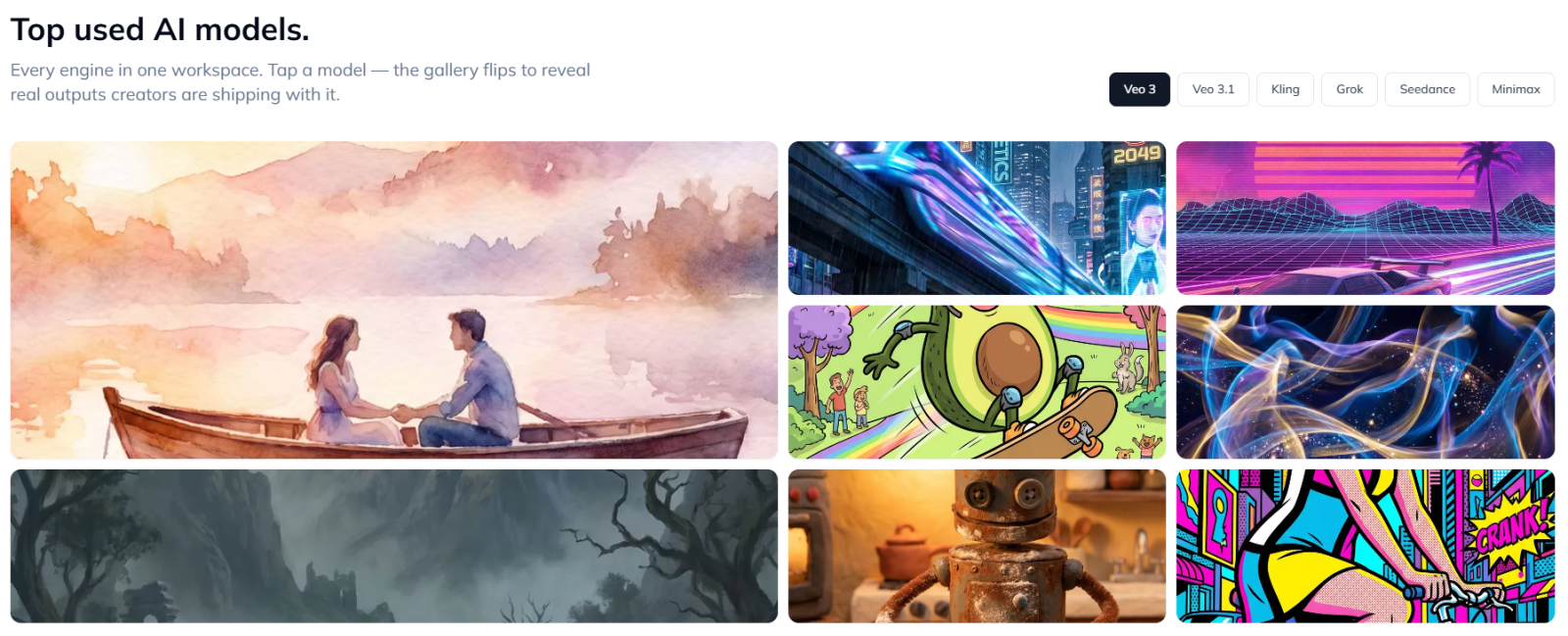
Syllaby's current website advertises a range of models, including options from Google, ByteDance, Kuaishou, xAI, and MiniMax, as well as image-generation tools.
The benefit of a multi-model workspace is flexibility. Different models may be better suited to cinematic scenes, product visuals, stylized imagery, realistic motion, or rapid iteration.
Rather than relying on a single generation engine, users can choose a model that matches the task.
However, access to multiple models does not mean every model has the same cost, speed, resolution, or usage allowance. Some generation workflows are charged per second, while other features consume credits according to the task.
If you need a specific output style, test that model before committing to a large content batch. Compare consistency and generation cost, not just the best example shown in a product gallery.
Syllaby lists several creation workflows, including text-to-scene, audio-to-video, URL-to-video, short-form video, and long-form video.
These features can help users repurpose existing information into video formats. A business might turn a written explanation into a series of scenes, while a creator could adapt an existing URL or source material into a draft video.
The value depends on how much editing remains after generation.
A good workflow should preserve the original meaning, select relevant visuals, and avoid introducing unsupported claims. For URL-based content, review whether the final script accurately represents the source rather than simply paraphrasing it superficially.
Creators should also ensure they have permission to reuse source material and media where required.
Syllaby includes an editor and features intended to support consistent characters across scenes.
An editor is important because generated scenes rarely form a perfect final video on the first attempt. You may need to change timing, replace a visual, refine narration, or reorganize a sequence.
Character consistency can be especially useful when a video series uses a recurring character or presenter. However, consistency depends on the chosen model and workflow; it should not be assumed to be flawless in every generation.
Before publishing, check scene transitions, visual continuity, on-screen text, audio levels, and the overall story.
If you produce content for a business, also verify product details, brand assets, and any regulated claims. AI-generated video should not bypass normal quality-control procedures.
Syllaby also offers AI image generation, thumbnail tools, and content-planning features.
Thumbnails can influence whether viewers click a video, while supporting images can help communicate a product or concept quickly.
The platform's content calendar and publishing tools are intended to help users organize their production schedule and coordinate posts across connected social accounts.
These functions are most useful when content creation is part of an ongoing workflow. If you publish several times each week, planning, generating, reviewing, and scheduling content in one place may save time.
However, automated scheduling does not guarantee reach or engagement. Titles, thumbnails, audience relevance, retention, and platform distribution still influence performance.
Use analytics to identify which formats work for your audience, and revise your approach rather than publishing a large volume of similar videos without evaluating results.
Syllaby offers API access and an MCP integration intended to connect video generation with external software and AI workflows.
This can be valuable for technical teams, agencies, and developers that want to generate videos programmatically instead of operating every task through a manual interface.
Potential workflows include creating draft videos from structured inputs, integrating generation into an internal content system, or orchestrating video creation through a compatible AI client.
These capabilities are more relevant to advanced users than to someone who simply wants to make a few social clips.
Before adopting the API, review the current documentation, authentication requirements, available endpoints, credit costs, rate limits, and error-handling behavior. The practical value depends on how reliably the integration fits your existing systems.
Syllaby uses a credit-based pricing system. Its official pricing page currently lists the following plans and headline prices:
| Plan | Listed price | Key details |
|---|---|---|
| Starter | $9/month | 100 credits per month, 1 GB storage |
| Basic | $29/month headline price | Annual option listed at $296/year, equivalent to about $24.67/month |
| Standard | $78/month headline price | Annual option listed at $796/year, equivalent to about $66.33/month |
| Premium | $153/month headline price | Annual option listed at $1,561/year, equivalent to about $130.08/month |
| Done For You | $699/month | Expert-run content service, listed with approximately 30 posts per month |
The Basic and Standard plans show selectable credit allocations, and pricing displays may vary between monthly and annual views. Confirm the exact allocation and billing amount on the official pricing page before purchasing.
Syllaby's pricing page lists these example usage costs:
| Task | Listed credit cost |
|---|---|
| Idea discovery | 15 credits per idea |
| Faceless video | 13 credits per minute |
| Avatar video | 50 credits per minute |
| AI script | 1 credit per minute of script |
| Thumbnail generation | 1 credit per 3 thumbnails |
| Avatar video export | 6 credits per minute |
| Extra image regeneration | 1 credit after the first three regenerations |
Text-to-scene generation can have model-dependent, per-second pricing. These figures are published examples, so verify the current cost for your selected model before generating large batches.
Video duration matters. A longer video may consume substantially more credits than a short clip, and avatar workflows can have a different cost structure from faceless generation.
Starter may be a reasonable option if you want to test the workflow at a low monthly cost. It includes 100 credits per month and basic storage.
However, those credits are a usage budget rather than a promise of a fixed number of finished videos. The actual output depends on video length, model selection, and the tasks you perform.
If you need recurring voice clones, consistent characters, or higher production volume, compare the Basic and Standard plans.
There is an important distinction in Syllaby's current messaging.
The homepage advertises a free first video and 50 credits for new sign-ups. However, the pricing FAQ says there is no free trial and directs users to start with the lowest paid plan.
Treat the homepage offer as a limited free-start opportunity, not as a guaranteed trial of every paid feature. Verify exactly what the free credits cover and whether payment details are required before signing up.
Syllaby's public pricing page describes a refund request window, while its help-center guidance says paid subscription fees are generally non-refundable but unused credits may qualify for a refund request within the first 30 days. Its terms also state that credits used for successfully rendered outputs are generally non-refundable.
Because these statements are not perfectly aligned, read the current terms and checkout conditions carefully. Do not assume that dissatisfaction with a successfully generated video automatically qualifies for a refund.
A practical safeguard is to test the smallest suitable plan first, review credit usage, and keep a copy of the billing and cancellation terms shown at purchase.
Multiple production steps in one platform: Idea generation, scripts, video creation, editing, and scheduling are available within the broader workflow.
Faceless and avatar options: Useful for creators who prefer not to film themselves.
Multiple AI models: Different models can be selected for different visual and generation needs.
Credit visibility: Published credit costs help users estimate usage before generating.
Automation options: API and MCP features may suit advanced workflows and programmatic generation.
Low-cost entry plan: The Starter plan provides a relatively low-priced way to explore the platform.
Credits can be difficult to estimate: Costs vary by task, model, and duration.
No standard free trial listed on the pricing page: The free-first-video offer is not the same as a full paid-plan trial.
AI output needs review: Visual artifacts, awkward pacing, pronunciation issues, or inaccurate scripts may require editing.
Refund terms need careful reading: Pricing, help-center guidance, and terms differ in how they describe refunds.
User feedback is mixed: Public reviews include both positive experiences and complaints about billing, cancellation, or output quality.
More features mean more decisions: Users may need time to understand models, settings, and credit usage.
Syllaby has a public Trustpilot profile. At the time of review, it showed a score of approximately 3.6 out of 5 based on 85 reviews. The distribution included a substantial share of five-star reviews as well as a notable share of one-star reviews.
Positive reviewers mention time savings, the convenience of producing and scheduling content, and the platform's range of features. Negative reviews raise concerns about cancellation, charges, support experiences, and inconsistent AI output.
These are individual reports, not a controlled test of the platform. They do not establish that every customer will experience the same outcome. Trustpilot also notes that the company has not invited customers to review it recently and has not replied to negative reviews on the page.
The practical takeaway is to evaluate both the software and the subscription experience. Before paying, verify the renewal terms, understand the cancellation path, and test the specific video workflow you plan to use.
You can read the latest feedback on Trustpilot's Syllaby review page.
Syllaby may be useful if you need a repeatable process for producing educational, explainer, or list-based videos without recording yourself.
The key is to add original research, meaningful narration, and useful editing rather than publishing generic AI videos at scale.
Real estate agents, consultants, coaches, and local businesses may use Syllaby to turn frequently asked questions into short educational clips.
For these users, the main benefit may be reducing production overhead. Review factual claims carefully, particularly for medical, legal, financial, or other high-stakes subjects.
Agencies producing multiple client videos may benefit from standardized workflows, scheduling, and programmatic generation.
Before choosing a plan, confirm storage, credit allocation, client separation, collaboration features, and whether the API or enterprise options meet your requirements.
Beginners can benefit from structured AI workflows, but they should not assume that generated videos will perform well without editing or strategy.
Start with one content format, learn how credits are consumed, and assess the output quality before scaling up.
The best alternative depends on which part of the workflow matters most to you.
Consider InVideo AI if you want to compare prompt-based video creation and automated assembly workflows. Evaluate the available models, editing flexibility, credit limits, and output quality using the same sample brief.
Pictory is worth investigating if your workflow centers on turning scripts or existing content into videos. Compare how each product handles source material, visual selection, narration, and post-generation editing.
Fliki may be relevant if voiceovers and converting text into video are central to your needs. Compare voice quality, language support, visual choices, and the cost of producing content at your intended volume.
HeyGen is worth evaluating if realistic AI presenters, avatar-based communication, or video translation are your main priorities. Compare avatar realism, voice capabilities, customization, and usage limits against Syllaby's broader video workflow.
Choose Syllaby if you want a broad production workflow combining video generation, faceless content, avatars, editing, and scheduling.
Consider a more specialized tool if your main priority is avatar realism, voiceover quality, or script-to-video conversion.
Compare the actual cost per finished video, not just the subscription headline price.
Run a small test using your own script before moving an established production workflow.
Features, prices, and model access change frequently, so check the providers' current plans before making a final decision.
Syllaby offers a broad set of tools for AI video creation, from idea generation and scripting to faceless videos, avatars, editing, scheduling, and API-based workflows.
Its strongest appeal is convenience. Creators who publish regularly may appreciate having multiple stages of production available in one place, while businesses can use the platform to turn recurring topics into video content.
The main trade-offs are credit-based usage, variable output quality, and the need to review subscription and refund terms carefully. A low headline price does not necessarily mean a low cost per finished video if you use long videos or expensive generation models.
Our verdict: Syllaby is worth evaluating if AI video production is a recurring part of your content strategy. Start with the lowest-cost option that fits your needs, verify what the free signup offer includes, and measure the cost and quality of several finished videos before scaling up.
If you only need occasional clips, compare simpler or more specialized alternatives first.
Ready to explore the platform? Review the current pricing and usage rules before choosing a plan.
Syllaby is an AI video and social content platform. It supports idea generation, script writing, faceless videos, AI avatars, editing, thumbnails, scheduling, and programmatic video generation.
The official pricing page currently lists Starter at $9 per month, Basic at a $29 monthly headline price, Standard at $78, and Premium at $153. Annual billing options show lower effective monthly costs for the higher plans. Confirm the current billing amount and credit allocation at checkout.
The pricing FAQ says there is no free trial. The homepage advertises a free first video and 50 credits for new sign-ups. Verify the terms of that offer before registering.
Credits are consumed by tasks such as idea discovery, faceless video generation, avatar videos, scripts, thumbnails, and some exports. Costs vary by task and, for some workflows, the model and duration.
Yes. Syllaby offers faceless video generation and tools for scripting, visuals, voiceovers, editing, and publishing. The quality and usefulness of the final video still depend on the topic, model, and editorial review.
Yes. Its feature list includes AI avatars and voice cloning. Check the current plan details for the number of voice clones and any usage limits.
The terms state that credits used to successfully render videos or other outputs are generally non-refundable. Public refund guidance also describes conditions for unused credits, so review the current terms and contact support before purchasing if refunds are important to your decision.
It can be useful for beginners who want a structured video workflow, but the credit system and range of models require some learning. Start small, review each output, and avoid scaling production before you understand the cost and quality.
InVideo AI, Pictory, Fliki, and HeyGen are worth comparing, depending on whether you prioritize automated video creation, script-to-video workflows, voiceovers, or AI presenters.