
Moosend is a strong option for small and growing businesses that want email marketing and automation tools in one place.
Its main advantage is the combination of campaign creation, automated workflows, subscriber segmentation, landing pages, and analytics. Rather than paying for several separate tools, businesses can manage many essential email marketing activities through one platform.
Moosend is particularly interesting for businesses that send campaigns regularly because its Pro plan uses contact-based pricing and includes unlimited email sends.
However, there are some important limitations. Pricing increases as your subscriber list grows, transactional emails require an additional plan or add-on, and the integration ecosystem is not as extensive as that of some larger competitors.
Moosend is worth considering if you:
Run a small or medium-sized business.
Need automated welcome and follow-up email sequences.
Manage an ecommerce store.
Want to create newsletters and promotional campaigns.
Need landing pages and subscription forms.
Want to segment subscribers based on their behavior.
Prefer a platform with a relatively straightforward pricing structure.
If your business relies heavily on transactional emails, advanced CRM functionality, or extensive third-party integrations, compare Moosend with alternatives before committing.
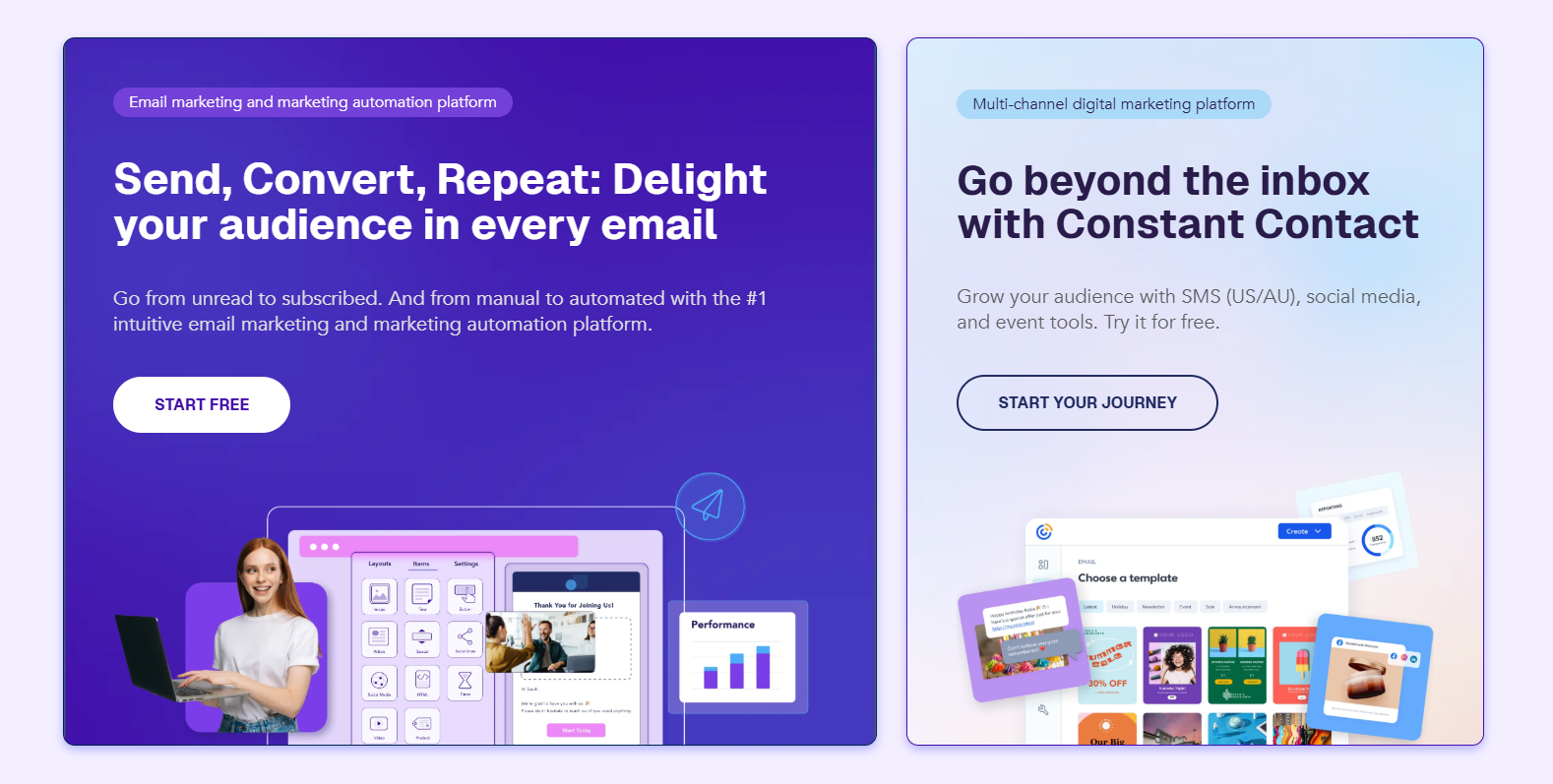
Moosend is an email marketing and marketing automation platform designed to help businesses communicate with subscribers and customers.
It provides tools for creating email campaigns, managing contact lists, building automated workflows, capturing leads, and measuring campaign performance.
The platform is designed for marketers, small businesses, ecommerce companies, and agencies that want to improve their email marketing without managing every task manually.
Its main product areas include:
Email campaign creation and newsletter design.
Marketing automation workflows.
Subscriber segmentation and personalization.
Landing pages and subscription forms.
AI-powered email writing.
Ecommerce product recommendations.
Campaign analytics and reporting.
API access and third-party integrations.
Moosend is now a Constant Contact company, following its acquisition by the email marketing provider.
You can explore the platform on the official Moosend website.
The email campaign builder is one of Moosend's core features.
It allows users to create newsletters, promotional emails, product updates, announcements, and other marketing campaigns.
The drag-and-drop editor helps users arrange content blocks without needing to write HTML or build email layouts manually.
You can customize elements such as:
Text and headings.
Images and visual content.
Buttons and calls to action.
Links and product information.
Layouts and branding elements.
Dynamic and personalized content.
Moosend also provides customizable email templates, which can help businesses launch campaigns faster.
This is useful for businesses that send recurring newsletters or promotions. Instead of designing every email from scratch, you can reuse a consistent template and update the content for each campaign.
However, an email editor is only one part of a successful campaign. You still need compelling subject lines, useful content, a relevant offer, and a clear call to action.
Marketing automation is arguably one of Moosend's strongest selling points.
Instead of manually sending every follow-up email, you can create workflows that respond to subscriber actions and customer behavior.
For example, a business could build an automated welcome sequence:
A visitor subscribes to the newsletter.
Moosend sends a welcome email.
The system waits for a defined period.
A follow-up email introduces the company's products.
Subscribers who click a specific link receive a more targeted message.
Other possible automation scenarios include:
Welcome email sequences.
Abandoned-cart reminders.
Birthday campaigns.
Customer re-engagement.
Product follow-ups.
Lead nurturing.
Post-purchase communication.
Moosend also offers pre-built automation recipes, making it easier to start with common customer journeys rather than designing every workflow from scratch.
An independent TechRadar review reported that the automation builder includes 32 triggers, more than 30 filter criteria, 11 action types, and 18 pre-built recipes.
This is a substantial feature set for a platform targeting small and medium-sized businesses.
The main benefit is consistency. Once a workflow is configured correctly, it can continue communicating with subscribers without requiring someone to manually send each message.
However, automation still requires planning. Poorly designed workflows can send irrelevant messages, create excessive email frequency, or frustrate subscribers.
Start with a few simple journeys and expand them as you understand your audience.
Sending the same email to every subscriber is rarely the best strategy.
Moosend includes audience management features that help businesses organize subscribers and create more relevant campaigns.
Its tools include:
Subscriber list management.
Segmentation.
Tags.
Custom fields.
Personalization.
Behavioral targeting.
For example, an ecommerce business could separate customers based on previous purchases, interests, or engagement with particular campaigns.
A software company could segment subscribers according to the resources they downloaded or the product pages they visited.
This makes it easier to send messages that match each audience's needs.
Segmentation can also help reduce unnecessary email volume. Instead of sending every promotion to the entire list, you can focus on the people most likely to find it relevant.
The value of segmentation depends on the quality of your data. If your contact information is incomplete or your tracking setup is inaccurate, personalized campaigns may not perform as expected.
Growing an email list requires more than sending campaigns. You also need a way to collect new subscribers.
Moosend includes landing page and subscription form builders to help businesses capture leads.
You can use landing pages to promote:
Newsletter subscriptions.
Free downloads.
Webinars.
Product launches.
Special offers.
Lead magnets.
Registration campaigns.
Subscription forms can be used to collect visitor information and add new contacts to relevant lists.
The advantage is that these tools are available within the same marketing environment as your email campaigns.
For example, a consultant could create a landing page offering a free guide, collect email addresses through a form, and automatically send a welcome sequence to new subscribers.
This creates a more connected lead-generation process.
However, landing pages and forms still need thoughtful design. A clear headline, concise copy, a relevant offer, and a simple signup process are essential for conversion.
Moosend includes AI-powered writing tools intended to make campaign creation faster.
The AI Writer can help generate or improve:
Email subject lines.
Email body copy.
Landing page content.
Subscription form copy.
Users can specify the type of content, tone, and desired word limit before generating text.
This can be useful when you need to create multiple campaign variations or are struggling to write an initial draft.
For example, an online store could use AI to draft a promotional email introducing a seasonal collection. A B2B business could generate a first draft for a product update or educational newsletter.
The AI Writer can also help refine existing copy.
However, AI-generated marketing content should not be published without review. Check product information, pricing, claims, tone, and brand consistency before sending a campaign.
AI can accelerate writing, but it does not replace understanding your audience.
Moosend's AI capabilities go beyond copywriting.
The platform also promotes Audience Discovery and AI-powered product recommendations.
Audience Discovery is designed to help businesses understand customer behavior and identify audience groups based on interests and patterns.
Product recommendations can help ecommerce businesses show more relevant products to different customer segments.
For example, an online retailer might use customer activity and purchase information to create more targeted product suggestions.
This can make email campaigns more relevant than sending identical product lists to every subscriber.
The effectiveness of these tools depends on the data available and the quality of your tracking setup. Businesses with more complete customer information may be better positioned to use these capabilities.
Sending an email is not the end of a campaign. You also need to understand how subscribers interact with it.
Moosend offers reporting and analytics features that help marketers evaluate campaign performance.
Depending on the reporting feature, you can monitor:
Email opens.
Click-through rates.
Bounces.
Unsubscribes.
Spam complaints.
Device and geographic information.
Website and ecommerce activity.
Campaign performance over time.
The platform also supports A/B testing, allowing marketers to compare different versions of campaign elements.
For example, you could test two subject lines to see which one generates more engagement.
Reporting is useful because it turns email marketing into an ongoing optimization process.
Instead of guessing what your audience prefers, you can use campaign data to improve future messages.
One limitation noted in independent testing is that certain reporting measurements may be affected by automated or privacy-related email activity. For example, bot clicks and Apple Mail Privacy Protection opens can complicate engagement analysis.
Treat open rates as one signal rather than a perfect measure of audience interest.
Moosend is also relevant to ecommerce businesses that want to connect customer activity with email marketing.
Its feature set includes website behavior tracking, product recommendations, and automation workflows related to customer activity.
Potential use cases include:
Abandoned-cart campaigns.
Product-view follow-ups.
Post-purchase emails.
Product recommendations.
Customer re-engagement.
Promotional campaigns based on customer interests.
These workflows can help online stores communicate with customers at more relevant moments.
For example, a visitor who adds an item to a cart but does not complete checkout may receive a reminder email, depending on the store integration and automation configuration.
However, businesses should confirm that the required tracking, ecommerce integration, and automation triggers are supported by their specific setup.
Moosend supports third-party integrations and provides API access for businesses that need to connect email marketing with other software.
Its integration ecosystem includes connections for common business and ecommerce tools.
TechRadar reported approximately 80 native integrations, including examples such as Shopify, WooCommerce, Salesforce, and Zapier.
The API can also support more customized workflows.
This is useful if you want email marketing to work alongside your website, ecommerce platform, CRM, or internal systems.
However, the integration library is not unlimited. If your business depends on a specialized CRM or niche software platform, verify compatibility before migrating your existing workflows.
Do not assume that every integration supports every feature. Check the exact data fields and actions available for your intended use case.
Moosend uses contact-based subscription pricing.
The amount you pay depends on the number of active subscribers in your account and your chosen billing cycle.
The pricing page currently presents three main options:
Pro.
Moosend+.
Enterprise.
Pro is the publicly priced option, while Moosend+ and Enterprise can be customized according to business requirements.
A TechRadar pricing review published in April 2026 reported the following reference prices:
| Contact list size | Monthly billing | Annual billing, monthly equivalent |
|---|---|---|
| 500 contacts | $9/month | $7/month |
| 5,000 contacts | $48/month | $38/month |
These are reference prices in USD, not a guarantee of the amount shown to every customer.
Moosend's official pricing page uses a contact-count calculator. Check the current price for your list size and location before subscribing.
The Pro plan includes the main email marketing and automation capabilities.
These include:
Unlimited email campaigns and sends.
Email marketing automation.
Email newsletter builder.
Landing pages.
Subscription forms.
AI Writer.
A/B testing.
Real-time reporting.
Audience segmentation.
Integrations and API access.
The main advantage is that many core automation and marketing features are included without requiring an expensive upgrade.
For businesses that send campaigns frequently, unlimited sends can be attractive because pricing is primarily based on contact count rather than the number of emails sent.
Moosend+ is a customizable plan designed for businesses that need additional capabilities.
Depending on the configuration, available add-ons can include:
Transactional emails.
Dedicated IPs.
Hosted files.
Custom reports.
Additional team members.
Audience Discovery.
SSO and SAML.
This plan is worth investigating if your business has more advanced operational requirements.
Enterprise is intended for organizations with more complex needs.
It can include advanced features, additional team members, dedicated IP options, account management, priority support, and other enterprise-level services.
Pricing is customized, so businesses should contact the sales team for a quote.
Yes. Moosend currently offers a 30-day free trial without requiring a credit card.
The trial provides access to core features, including:
Email builder and templates.
AI Writer.
Automation.
Segmentation.
Landing page and form design.
Email campaigns and reporting.
The official pricing page states that the trial supports unlimited email sends for up to 1,000 contacts.
After the trial ends, you can upgrade to a subscription plan or purchase email credits.
This is useful because you can evaluate the platform before committing to a paid subscription.
Moosend offers email credits for businesses that do not want a recurring subscription.
Each credit represents one email sent to one recipient.
For example, sending a campaign to 5,000 recipients requires 5,000 credits.
This model can be useful for seasonal businesses or organizations that only send occasional campaigns.
However, businesses sending regular newsletters or automated customer journeys may find a subscription more convenient.
Moosend can offer good value for businesses that need automation, landing pages, segmentation, and unlimited email sends.
The contact-based pricing model is particularly interesting if you send multiple campaigns to the same subscriber list.
However, costs increase as your contact database grows.
You should also consider whether you need transactional emails. If you rely on order confirmations, password resets, or other system-generated messages, the additional plan or add-on cost may change the overall value calculation.
Before subscribing, compare the total cost with your current email volume, list size, and required integrations.
Strong marketing automation: Build welcome sequences, abandoned-cart workflows, re-engagement campaigns, and other customer journeys.
Unlimited email sends on Pro: Useful for businesses that communicate with subscribers frequently.
Contact-based pricing: Costs are tied to subscriber count rather than each campaign send.
AI writing tools: Generate and refine email copy, subject lines, landing pages, and forms.
Landing pages and forms: Capture leads without needing a separate tool for every signup page.
Audience segmentation: Organize subscribers and personalize campaigns.
Useful reporting: Track campaign engagement and compare different email variations.
30-day free trial: Test the core platform without entering credit card details.
Pricing increases with list size: Larger subscriber databases require more expensive plans.
Transactional emails cost extra: Businesses that need system-generated emails should account for additional costs.
Limited integration breadth: Some specialized tools may require Zapier or custom API work.
Editor inconsistencies: Independent reviewers have reported occasional usability issues.
No 24/7 live support: TechRadar reported that live support operates on weekdays.
Advanced features require learning: Complex automation workflows and segmentation rules may take time to configure.
Public feedback about Moosend is mixed, although review platforms show different overall ratings.
At the time of research:
G2 showed approximately 4.6 out of 5 from 723 reviews.
Trustpilot showed approximately 2.9 out of 5 from 85 reviews.
On G2, users frequently praise the platform's ease of use, email design tools, and customer support.
Some reviewers also mention limitations around templates, customization, reporting, and the learning curve for advanced features.
Trustpilot includes both positive and negative experiences. Some users describe the platform as cost-effective and easy to use, while others report problems with the template editor and support experience.
These ratings should be interpreted carefully. Different platforms attract different types of reviewers, and a relatively small review sample cannot represent every customer's experience.
A practical approach is to use the free trial to test the exact workflows your business needs.
Try creating a campaign, importing a small contact list, building an automation, and reviewing the reporting dashboard before migrating your full email database.
Moosend is not the only email marketing platform worth evaluating. The best alternative depends on your budget, audience size, automation requirements, and existing software stack.
Mailchimp is a popular email marketing platform with a broad ecosystem and extensive third-party integrations.
It is worth comparing if you already use several business tools or need a familiar platform with a large range of integrations.
However, compare the total subscription cost at your actual contact count and feature requirements.
MailerLite is worth considering if you prioritize newsletters, landing pages, and straightforward email marketing.
It may suit creators, bloggers, and small businesses that want a simpler interface.
Compare its automation capabilities, subscriber limits, and plan restrictions with Moosend before switching.
Brevo is a relevant alternative if your business needs a broader communication platform.
It supports email marketing and additional channels, including SMS and transactional messaging options.
Consider Brevo if transactional or multichannel communication is central to your workflow.
ActiveCampaign is worth evaluating if your business requires more advanced automation and CRM-related workflows.
It may be a better fit for complex customer journeys, sales processes, and sophisticated segmentation.
However, compare the total price and learning curve with Moosend before choosing it.
Kit is particularly relevant to creators, newsletter publishers, and businesses built around an audience or personal brand.
It may be a better fit if your main objective is growing a newsletter and communicating with subscribers through creator-focused workflows.
Choose Moosend if you want email marketing, automation, forms, and landing pages at a contact-based price.
Choose Mailchimp if integration breadth and a familiar ecosystem are important.
Consider MailerLite if you prioritize simple newsletters and landing pages.
Consider Brevo if you need broader communication channels or transactional messaging.
Consider ActiveCampaign if your workflows require more advanced CRM and sales automation.
Consider Kit if you are primarily a creator or newsletter publisher.
The best comparison is based on the actual cost of running your business, not just the advertised starting price.
Moosend can be a good option for small businesses that want to build an email list and automate regular communication.
It can support newsletters, promotional campaigns, lead nurturing, and customer follow-ups without requiring a large marketing team.
Online stores may benefit from customer segmentation, product recommendations, abandoned-cart workflows, and post-purchase communication.
These features can help businesses create more relevant customer journeys.
However, confirm the specific ecommerce integration and transactional email requirements before choosing a plan.
Agencies can use Moosend to manage campaigns and automation for clients.
Its contact-based pricing, templates, and reporting features may be useful for teams handling recurring email marketing work.
Agencies should also evaluate user permissions, team access, and client-management requirements.
Moosend can help bloggers and publishers build subscriber lists, send regular newsletters, and automate welcome sequences.
If you only need basic newsletter publishing, compare it with simpler creator-focused tools to determine which offers better value.
Moosend is an established email marketing platform and is now part of Constant Contact.
It provides email marketing, automation, contact management, and reporting tools for businesses.
However, reliability in email marketing depends on more than the software itself.
Your sender reputation, list quality, domain authentication, email content, and subscriber engagement all influence deliverability.
Moosend supports email authentication practices such as SPF, DKIM, and DMARC. Independent reviewers have also noted its deliverability configuration and reporting capabilities.
Moosend has stated a 98% deliverability figure, but this is a vendor claim rather than a guarantee that every campaign will reach the inbox.
Before sending campaigns at scale:
Authenticate your sending domain.
Import only contacts you are permitted to email.
Remove invalid and inactive addresses.
Include a clear unsubscribe option.
Monitor bounces and spam complaints.
Test campaigns before sending them to your full list.
Following these practices is important regardless of which email marketing platform you choose.
Moosend offers a capable combination of email marketing, automation, subscriber management, landing pages, AI writing, and campaign analytics.
Its biggest strength is the number of marketing features available in the Pro plan.
For small and medium-sized businesses, having automation workflows, unlimited email sends, segmentation, and landing pages in one platform can make campaign management more efficient.
The contact-based pricing model can also be attractive for businesses that send emails regularly.
However, Moosend is not ideal for every organization. Transactional emails require additional services, integration coverage is more limited than some competitors, and advanced workflows may take time to configure.
Our verdict: Moosend is worth trying if you want an affordable email marketing platform with useful automation capabilities. The 30-day free trial gives you an opportunity to evaluate the editor, workflows, segmentation, and reporting before paying.
Start with a small campaign, build a simple automation sequence, and compare the total cost at your current subscriber count.
If the workflow fits your business and the pricing remains competitive as your list grows, Moosend could be a practical long-term email marketing solution.
Visit Moosend's official website
Moosend is an email marketing and marketing automation platform. It helps businesses create newsletters, manage subscribers, build automated workflows, create landing pages, and track campaign performance.
Moosend uses contact-based pricing. A TechRadar review in April 2026 listed Pro at $9 per month for 500 contacts or $7 per month with annual billing. The price increases with subscriber count, so check the current pricing calculator before subscribing.
Yes. Moosend offers a 30-day free trial without requiring a credit card. The official pricing page states that the trial includes unlimited email sends for up to 1,000 contacts.
Moosend currently promotes a 30-day free trial rather than a permanent free subscription with the same core features. After the trial, you can choose a paid subscription or purchase email credits.
Moosend advertises unlimited email campaigns and sends in its Pro offering. The free trial also supports unlimited sends for up to 1,000 contacts.
Yes. Moosend includes a visual automation builder, triggers, filters, actions, and pre-built workflow recipes for common customer journeys.
Moosend supports ecommerce tracking and automation features that can be used for abandoned-cart workflows, depending on your store integration and tracking setup.
Yes, but transactional email functionality requires an applicable Moosend+ add-on or Enterprise configuration rather than the standard Pro subscription.
Moosend can be a good fit for small businesses that need newsletters, automation, subscriber segmentation, landing pages, and reporting without adopting a more complex enterprise platform.
MailerLite, Mailchimp, Brevo, ActiveCampaign, and Kit are worth comparing. The right choice depends on your automation needs, integrations, audience size, and budget.
Neither platform is automatically better for every business. Moosend may appeal to businesses looking for contact-based pricing and accessible automation, while Mailchimp may be preferable when its integration ecosystem and broader brand familiarity matter more.
Compare both platforms using your actual contact count and required features.