

Managing trading signals manually can be time-consuming. A trader may receive an entry signal in Telegram, execute it on MetaTrader, and then repeat the process across several accounts. TradingView alerts and multi-platform setups create similar challenges, particularly when different accounts require different position sizes or risk settings.
Copygram is an automated trading tool designed to connect signal sources with supported trading accounts. It can route signals from Telegram, TradingView webhooks, and connected trading platforms to follower accounts, while providing configurable execution settings and monitoring tools.
The platform has also expanded into live chart trading and AI-agent workflows, allowing compatible assistants to manage supported trading tasks through a controlled connection.
But is Copygram reliable enough for automated trading? Does it eliminate the need for a VPS, what does it cost, and what should traders check before using it with real money?
This Copygram review examines its advertised features, platform compatibility, pricing considerations, security documentation, customer feedback, and limitations.
Editorial note: This review is based on publicly available product documentation and customer-review sources. It does not claim independent hands-on testing, verified execution-speed measurements, or profitable trading results.
Copygram is a trade-copying and trading-automation platform. It connects a source of trading instructions to one or more trading accounts, allowing supported orders to be executed automatically.
The source can be a Telegram signal channel, a TradingView webhook, a connected trading account, a live chart inside Copygram, or a compatible AI assistant. Connected accounts act as receivers that execute trades according to their configured settings.
The platform's documentation lists support for:
Forex and CFD platforms: MetaTrader 4 (MT4), MetaTrader 5 (MT5), TradeLocker, DXTrade, and MatchTrader.
Broker and futures platforms: OANDA, Tradovate, and NinjaTrader.
Cryptocurrency futures: Binance Futures.
Signal sources: Telegram, TradingView webhooks, and supported trading-platform accounts.
Additional workflows: Live chart trading, AI trade validation, notifications, and AI-agent integration.
Availability depends on the exact platform, account type, and connection method. Confirm compatibility with your broker and intended trading workflow before subscribing. (Official documentation)
Copygram is an execution and automation tool, not a trading strategy provider. It does not guarantee that a signal is profitable, that every order will execute as intended, or that a follower account will match the performance of the original account.
Copygram organizes trade-copying setups into what it calls rooms. A room connects one signal source to one or more receiver accounts.
A typical workflow looks like this:
Connect your accounts. Add the trading accounts that will send or receive trades.
Choose a signal source. Select Telegram, a TradingView webhook, a supported trading account, live chart trading, or an AI-agent source.
Create a room. Link the source to the intended receiver accounts.
Configure each receiver. Set trade sizing, risk controls, symbol mapping, stop-loss and take-profit behavior, and other supported options.
Activate and monitor. Start the room and review signal logs to check which trades were executed, skipped, or otherwise affected by receiver settings.
The receiver accounts can have different money-management rules. For example, a signal may be copied to two accounts with different position-sizing settings.
This flexibility is useful, but it also means that a configuration error can affect multiple accounts at once. Traders should verify the settings for each receiver before activating a room.
Copygram can process supported trading instructions from Telegram channels and route them to connected accounts.
Its documentation describes AI-assisted parsing of signal messages, including instructions such as buy and sell orders, pending orders, stop-loss and take-profit levels, and certain position-management actions.
This may help traders who receive signals from a provider but do not want to enter each order manually.
Potential benefits include:
Automated handling of supported signal formats.
Routing to multiple connected accounts.
Configurable position sizing and risk settings.
Options for filtering unwanted messages.
Support for certain trade modifications and closing instructions.
However, a Telegram message is not always a clear or complete trading instruction. A signal may be edited, sent late, use an unfamiliar symbol, or omit critical details. The system's interpretation must be checked before relying on it for live execution.
Important: AI-based parsing can reduce manual work, but it cannot guarantee that every message will be interpreted correctly or that the underlying signal is sound.
Copygram also supports TradingView alerts through webhooks. This allows a supported alert to trigger a trading action on connected accounts.
The documentation describes flexible webhook parsing, with recommended fields such as action, symbol, volume, entry price, stop loss, take profit, and a signal identifier for later trade modifications.
This may suit traders who have already developed an indicator or strategy in TradingView and want to connect alerts to an execution workflow.
Before enabling live automation, test the complete process:
Does the alert send the expected symbol and direction?
Is the position size correct?
Are stop-loss and take-profit values interpreted correctly?
Can later alerts identify and modify the intended position?
What happens if a webhook is delayed, duplicated, rejected, or malformed?
Webhook automation introduces operational risks in addition to market risk. A successful alert delivery does not necessarily mean the broker accepted and filled the order exactly as expected.
Copygram's core use case is routing trading instructions between supported platforms and accounts.
This may be useful for traders managing a main account alongside several follower accounts, or for those whose signal source and broker accounts use different systems.
The main benefit is centralization: instead of repeating each order manually, users can manage copying through a shared interface.
However, platform compatibility should be verified at the level of the actual account and order type. Different brokers may use different symbol names, contract specifications, minimum order sizes, or trading rules.
A symbol such as XAUUSD, for example, may have a different name or suffix at another broker. Copygram documents symbol-mapping settings to address some of these differences, but configuration still needs to be checked carefully.
Copygram documents receiver-level settings for position sizing, stop loss, take profit, symbol filters, trading schedules, and related execution behavior.
Depending on the supported platform and configuration, users can set fixed lot sizes or other money-management rules, filter symbols, and choose whether to copy certain position modifications.
These options can help maintain consistent execution rules across accounts.
They should not be confused with guaranteed risk protection. A stop loss may not fill at the intended price during gaps or fast markets, and a copied order may be rejected if the account lacks sufficient margin or the broker imposes a restriction.
Before going live, check how each setting behaves when:
The signal has no stop loss.
The receiver has a different account balance.
The symbol is unavailable or named differently.
A position is already open.
A trade modification cannot be matched to the original order.
A market is closed or the broker rejects the order.
A controlled demo test is a better way to validate a setup than relying on a product description alone.
Copygram advertises an AI trade-validation feature that analyzes incoming signals and assigns a confidence score. Users can configure a threshold to filter signals according to the platform's scoring system.
This could be useful for traders who want an additional screening step before copying certain signals.
However, an AI confidence score should not be interpreted as the probability that a trade will be profitable unless the provider has established and documented that interpretation with appropriate validation. A score can reflect a model's internal assessment without predicting the trade's eventual outcome.
Before using this feature, determine:
What information the model evaluates.
Whether it can reject valid signals.
Whether it can accept losing signals.
How it behaves with unusual symbols or incomplete messages.
Whether the threshold can be tested against a meaningful historical sample.
Do not assume that raising a confidence threshold automatically improves performance. That claim would require evidence from the specific strategy and trading conditions.
Copygram advertises cloud-based automation, and its documentation states that supported MT4 and MT5 accounts can run on its hosted infrastructure without the user maintaining a separate VPS for that setup.
This can reduce maintenance for traders who otherwise keep a computer or server running to support a copier.
The distinction is important: the exact hosting arrangement depends on the integration. Older help-center material describes different setup requirements for some MetaTrader workflows, while the current platform documentation advertises hosted MetaTrader functionality.
Before subscribing, confirm whether your specific connection runs fully in Copygram's hosted environment or requires any local installation.
Cloud hosting also does not eliminate every interruption risk. Broker connectivity, platform availability, service outages, and order rejection can still affect execution.
Copygram's current documentation describes integration with compatible AI assistants through the Model Context Protocol (MCP).
The advertised workflow allows a connected assistant to manage supported rooms, inspect logs, change selected settings, and send trading instructions through an AI-agent room. The documentation says the assistant is asked to confirm trading details before a trade is submitted, and that room activation controls whether instructions can be executed.
This is a powerful capability, but it also introduces additional complexity.
An AI assistant can misunderstand a request, confuse a symbol, or interpret a risk instruction incorrectly. Users should verify every proposed trade's symbol, direction, order type, size, stop loss, and take profit before confirming.
Keep the room paused when you do not intend to trade, use minimal permissions where possible, and start with demo trading or very small positions while validating the workflow.
An AI assistant should not be given unchecked authority over a live trading account simply because the integration offers natural-language controls.
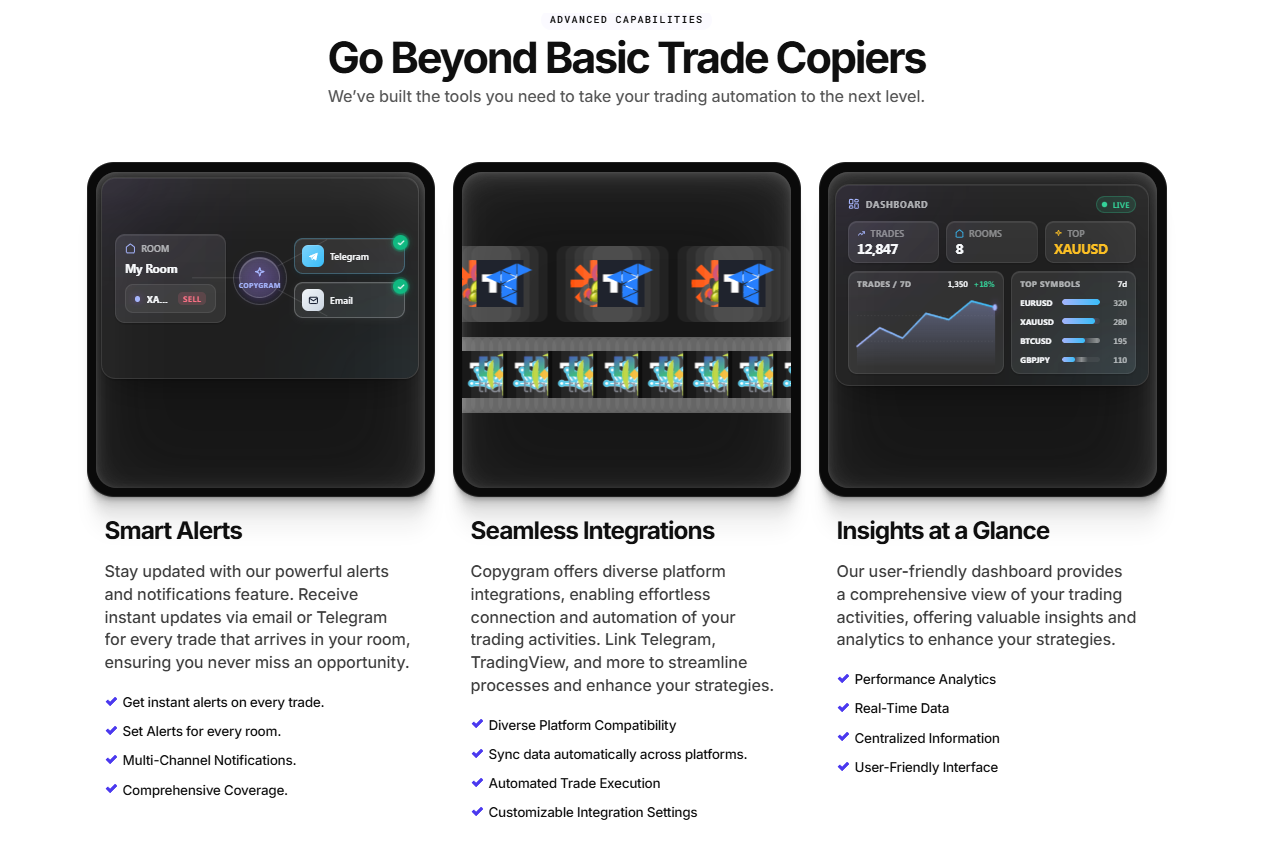
Copygram documents signal logs that show activity and execution status for connected rooms. It also offers notifications by email or through its Telegram bot on plans that include those features.
These tools are important because automated trading should not be treated as a system that can be configured once and ignored indefinitely.
Logs can help users investigate why a signal was skipped, whether an order was executed, and what happened at the receiver level. Notifications can make it easier to notice unexpected activity without keeping the dashboard open continuously.
Still, a log entry is not an independent audit of trading performance. Compare platform logs with broker statements and actual account positions when investigating discrepancies.
Copygram uses subscription plans that determine account capacity and feature access. Its documentation says plans can control:
The number of trading accounts you can connect.
The number of webhook URLs you can create.
Access to the Telegram connector.
Access to TradingView connections.
AI trade validation.
Email and Telegram alerts.
The available features and limits depend on the selected plan. Copygram also documents payment by card or cryptocurrency and the ability to upgrade, downgrade, or cancel through the Billing area.
Because plan limits and promotional offers may change, check the current price displayed in the official platform before subscribing.
Do not compare Copygram's subscription price with another tool solely on the headline monthly amount. Consider the full cost of running your intended setup.
| Cost factor | What to check |
|---|---|
| Account capacity | Does the plan support all source and receiver accounts? |
| Webhook allowance | Is the number of TradingView alerts or webhook URLs sufficient? |
| Signal connectors | Is your required Telegram or TradingView connection included? |
| AI validation | Is the feature included, and are there any usage restrictions? |
| Hosting | Does your chosen setup require a separate VPS or other service? |
| Additional accounts | What happens if you exceed the plan's account limit? |
| Billing terms | When does billing renew, and how do cancellation and refunds work? |
Copygram may be worth considering if it replaces repetitive manual execution across several accounts or connects signal sources that would otherwise require separate tools.
For someone managing only one account and a small number of trades, a paid automation service may be unnecessary.
For a trader who relies on recurring signals and multiple supported accounts, the value depends on whether Copygram executes the intended workflow reliably and whether the time saved justifies the recurring fee.
Before subscribing: Calculate the total cost, confirm your integrations, read the refund terms, and test the setup with a demo account.
Reliability is one of the most important considerations for any tool that sends instructions to live trading accounts.
Copygram's documentation describes configurable automation, logs, hosted infrastructure, and security controls. These are relevant product features, but they do not independently establish a specific uptime level or guarantee that every trade will be executed correctly.
Customer reviews also show mixed experiences.
At the time of research, Trustpilot displayed a score of approximately 3.5 out of 5 from around 74 reviews. Positive reviewers mention a convenient interface, cross-platform automation, and helpful support. Negative reviewers describe connection issues, missing or incorrectly handled signals, delayed support, and disputes about unresolved problems. Some reviewers have also raised detailed technical concerns about webhook execution.
These reports are anecdotal and cannot establish the overall failure rate. The company has responded publicly to some complaints, including describing technical changes it says were made to address particular issues. Neither customer claims nor company responses should be treated as independently verified performance tests.
For live trading, the right question is not simply whether the software has positive reviews. It is whether your own end-to-end workflow performs correctly under the conditions you will actually use.
Start with a demo account. Use a setup where errors do not risk real capital.
Test each signal type. Try the relevant Telegram messages, TradingView alerts, or source-account trades.
Check order details. Verify symbol, direction, size, entry, stop loss, and take profit.
Test trade modifications. Confirm that close, partial-close, and stop-loss updates affect the intended positions.
Test failure scenarios. Check what happens when a symbol is unsupported, a signal is incomplete, or a receiver is unavailable.
Compare logs with the broker. Confirm that reported execution matches the actual account.
Scale gradually. Do not connect every live account until the smaller setup has been validated.
If your trading strategy depends on precise timing or strict drawdown rules, evaluate execution and error handling especially carefully.
There are two distinct questions: whether the platform protects account access appropriately and whether automated trading is financially safe.
Copygram's documentation says broker credentials are encrypted in transit and at rest, are not exposed in logs, and are not returned to connected AI assistants. It also recommends least-privilege API keys for supported API-based platforms, including disabling withdrawal permissions and restricting keys to the service's IP where supported.
These are useful stated safeguards, but users should review the current security documentation and the permissions required for their specific broker connection.
Use a unique, strong password and enable available account security features.
Review the exact permissions required by each connected account.
For API-based accounts, disable withdrawal access where supported.
Never share passwords or API secrets in ordinary messages or support tickets.
Revoke connections you no longer need.
Review signal logs and broker statements regularly.
Keep a clear way to pause automation immediately.
Copygram can replicate trading instructions, including losing ones. It may also distribute a configuration mistake across multiple accounts.
Even when the source signal is correct, execution can differ because of slippage, spreads, liquidity, leverage, contract specifications, and broker restrictions.
If you use a prop-firm account, confirm that the firm permits your specific form of signal copying, automation, account linking, and execution method. Rules vary, and a platform's ability to connect to an account does not mean the account provider allows the activity.
No trade copier can guarantee profits or eliminate market and execution risk.
Multiple signal sources: Connects supported Telegram, TradingView, and trading-platform sources.
Multi-account execution: Can route signals to multiple receivers with separate settings.
Configurable risk controls: Provides position-sizing and trade-management options.
Cloud automation: Supported hosted MetaTrader workflows can reduce VPS maintenance.
AI trade validation: Offers a configurable screening feature for incoming signals.
Execution logs and alerts: Helps users monitor signal activity and investigate issues.
AI-agent integration: Supports additional workflows through compatible MCP clients.
Execution errors can have real consequences: Incorrect or missing trades can affect live accounts.
Reliability needs testing: Public reviews include complaints about technical issues and support delays.
Setup complexity: Cross-platform configurations require careful testing and symbol mapping.
Subscription limits: Account and feature allowances depend on the selected plan.
AI validation is not a profitability guarantee: A confidence score does not establish that a trade will win.
Prop-firm compatibility is not universal: Users must verify each firm's rules.
No guarantee of identical fills: Different brokers and account conditions can produce different outcomes.
Copygram may be worth evaluating if you:
Receive recurring trading signals through Telegram.
Use TradingView alerts to trigger trades.
Manage several accounts on supported platforms.
Want to reduce manual copying between accounts.
Need receiver-specific position sizing and trade-management settings.
Want a cloud-hosted workflow for supported MetaTrader setups.
Understand the operational and financial risks of automated trading.
It may be less suitable if you:
Trade infrequently and manually.
Cannot afford to monitor an automated setup.
Expect every signal to execute perfectly.
Need a guaranteed execution time or zero-error operation.
Have not checked whether your broker or prop firm permits the workflow.
Are not comfortable troubleshooting account and symbol-mapping issues.
Beginners should first understand order types, position sizing, margin, stop losses, and the risks of leveraged trading before automating signals.
The best alternative depends on the source of your signals and the accounts you need to connect.
If your broker or trading platform already supports the necessary automation, a native solution may reduce the number of external services involved.
The trade-off is that native tools may not support the same range of source platforms or cross-broker workflows.
Other trade copiers may specialize in MetaTrader-to-MetaTrader copying, multi-broker workflows, or prop-firm account management.
Compare the exact master/follower combinations, position-sizing options, error handling, hosting model, and refund terms. Do not assume that a longer integration list automatically means better reliability.
If your only requirement is to route TradingView alerts, a focused webhook automation tool may be enough. Compare how it handles duplicate alerts, failed deliveries, trade modifications, and broker responses.
Experienced developers may prefer a direct broker or exchange API integration. This offers more control over execution logic but requires development, testing, security management, and ongoing maintenance.
The cheapest option is not necessarily the best. Choose the solution that matches your technical ability, account rules, and tolerance for operational risk.